
Spirit Crossing How to Change Waystation: Guide
You change your waystation in Spirit Crossing by traveling to the target community space and speaking directly with Eudora. She verifies hub capacity, applies the standard transfer cooldown, and assigns your character a fresh Initiate rank upon arrival.
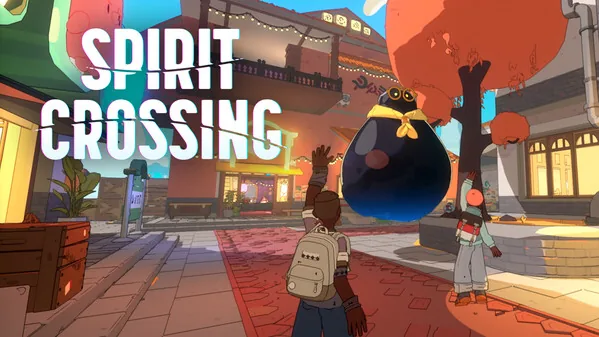
You change your waystation in Spirit Crossing by traveling to the target community space and speaking directly with Eudora. She verifies hub capacity, applies the standard transfer cooldown, and assigns your character a fresh Initiate rank upon arrival.
What Is a Waystation in Spirit Crossing?
A waystation is a persistent guild hub designed for roughly fifty players within a broader two-thousand-player cohort. Developer Spry Fox created these settlements as shared mountain outposts where members pool resources, rebuild infrastructure knocked offline by storms, and vote on public architectural proposals. Each settlement features a central beacon shrine that shields the area from atmospheric corruption.
Players can review the official game overview on the Steam store page to inspect system details. Inside each outpost, members contribute collected beacon energy to maintain daily protection levels. As settlements reach higher charge tiers, local vending machines unlock rare items, structural components, and custom dyes. Because group dynamics vary between quiet retreats and active builder districts, the multiplayer framework permits members to migrate to a new hub whenever they seek a different environment.
How Do You Change Your Waystation with Eudora?
Eudora is the beacon keeper and NPC administrator responsible for processing every player transfer between community hubs. To initiate a relocation, you must physically travel to the specific settlement you want to join rather than requesting a transfer from your original camp.
- Open your world map and locate the travel menu.
- Select the option to visit other player settlements or a friend's active waystation.
- Arrive at the destination outpost by boarding the local trolley.
- Locate Eudora standing near the central beacon plaza.
- Speak with Eudora to open the settlement management interface.
- Select the option to join the new waystation and confirm the transfer prompt.
Once the dialogue completes, your character updates immediately to the new settlement roster. For additional basic gameplay steps and map navigation tips, refer to our broader guide.
Waystation Transfer Rules and Cooldowns
Transfer restrictions are administrative limits implemented to stabilize settlement populations and prevent sudden roster exploitation. Developers addressed settlement hopping directly in official documentation published on Spry Fox:
"To prevent exploiting and accidental waystation moves, we also tweaked the cooldown to change waystations using friend codes to 30 days. You will still be able to move by following Eudora’s flow as long as you still have friends in the target waystation, this has a cooldown of 1 day." — Spry Fox patch notes for version 14.7
Before attempting a transfer, verify these confirmed technical conditions:
- Target Capacity: A settlement cannot accept newcomers if its population has reached the member cap.
- Standard Move Cooldown: Changing hubs through Eudora requires a 1-day waiting window before you can transfer again.
- Invite Code Cooldown: Relocating via recruit-a-friend invite codes carries a 30-day cooldown timer.
- Role Reset: Your earned rank resets to Initiate upon arrival. Higher ranks, such as Decorator or certified Architect, must be earned again through contributions in the new district.
Keep these timing mechanics in mind before each daily reset so you do not lock your character into an unwanted outpost.
Comparing Your Waystation Relocation Options
Relocation methods are structured according to whether you travel solo, accompany an existing acquaintance, or invite a newcomer.
| Relocation Method | Suitable Situation | Costs and Requirements |
|---|---|---|
| Eudora Direct Transfer | Relocating independently to an open community hub | Requires walking to the target hub, resets rank to Initiate, 1-day cooldown |
| Friend Hub Transfer | Moving into a specific settlement where your friends reside | Requires talking to Eudora at their hub, subject to a 1-day cooldown and space limits |
| Recruit Invite Code | Bringing a brand-new player directly into your current hub | Consumes a friend recruit code, moves newcomer immediately, subject to a 30-day code cooldown |
What Happens to Your Starter Plot and Permissions?
Starter Plots are predetermined designated building spaces in waystations where players with Neighbor status or above construct custom layouts. When you finalize a move through Eudora, your previous building permissions and land claims do not carry over to the new settlement.
- The system marks your old Starter Plot as abandoned as soon as your transfer completes.
- Any furniture, structures, or decorative items placed inside your abandoned plot are automatically packed and returned to your character via the in-game mailbox.
- You must collect these returned items from your mailbox before the game allows you to claim a fresh Starter Plot at your new home.
- Personal interior items placed inside your private mountain peak house remain unaffected by settlement transfers.
Once settled into the new outpost, speak with the local members and resume daily beacon contributions to reclaim your previous standing.
Next step
Ride Fluffalo
Understand how to ride fluffalo mounts across the Crosslands, join wilderness delivery events, and customize flying companion pets.
Related Guides
Spirit Crossing How to Ride Fluffalo Mounts; Spirit Crossing fishing: Pier Catches and Sky Fluffs